Screenshots, marked up before you let go.
Screencap is a free Chrome extension. Drag over anything, annotate it in place, hide secrets automatically, and copy it with one keystroke. Editing, OCR and redaction run on your device. No account needed.
No account · No extension analytics · English, Deutsch, Español, Français, हिन्दी, 简体中文

Capture
Four ways to grab what you see.
Click the toolbar icon or press a shortcut. Captures keep full Retina resolution.
Select Area
Drag over part of the page. The editor opens right there, on top of the page.
Visible Page
Everything you can see in the tab, in one shot, with a preview to copy, save or edit.
Full Page
Scrolls the page and stitches it into one image. Sticky headers show up once, not on every slice.
Element
Pick any element or scrolling pane, like a mail thread or a chat channel, and capture all of it.
Change shortcuts at chrome://extensions/shortcuts. Tips for long pages and scrolling panes →
Mark up
Mark up in place.
Select Area opens the editor over the page you're on. Adjust the selection, draw with single-key tools, then press Enter to copy or Ctrl S to save.
- R Rectangle
- A Arrow
- L Line
- P Pen
- H Highlighter
- T Text
- N Numbered steps
- S Spotlight
- X Pixelate
- B Blur
Need more room? Edit in Screencap opens the full editor, which adds crop, backgrounds, frames and export formats.
How the in-page editor works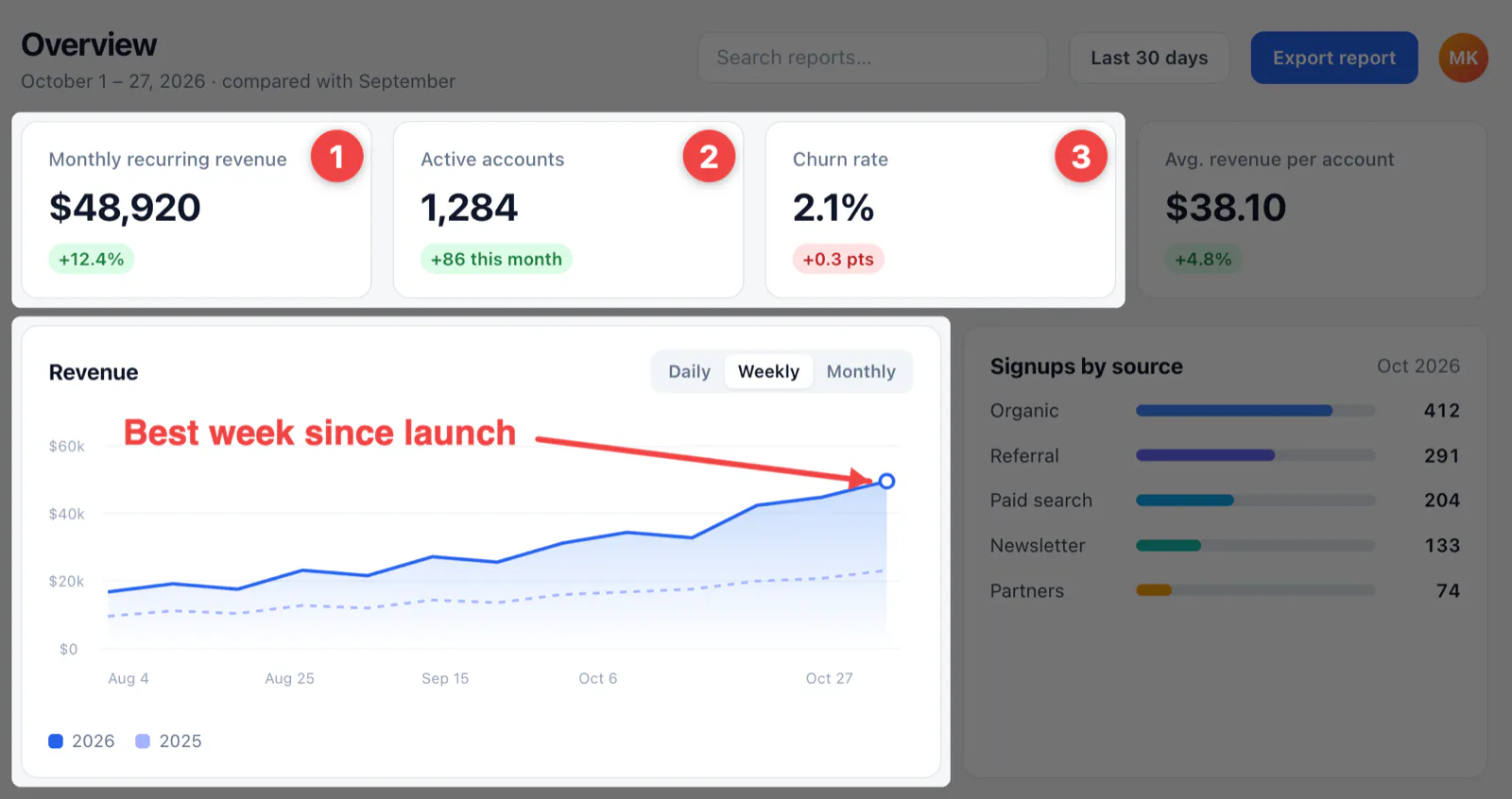
Redact
Hide secrets before you share.
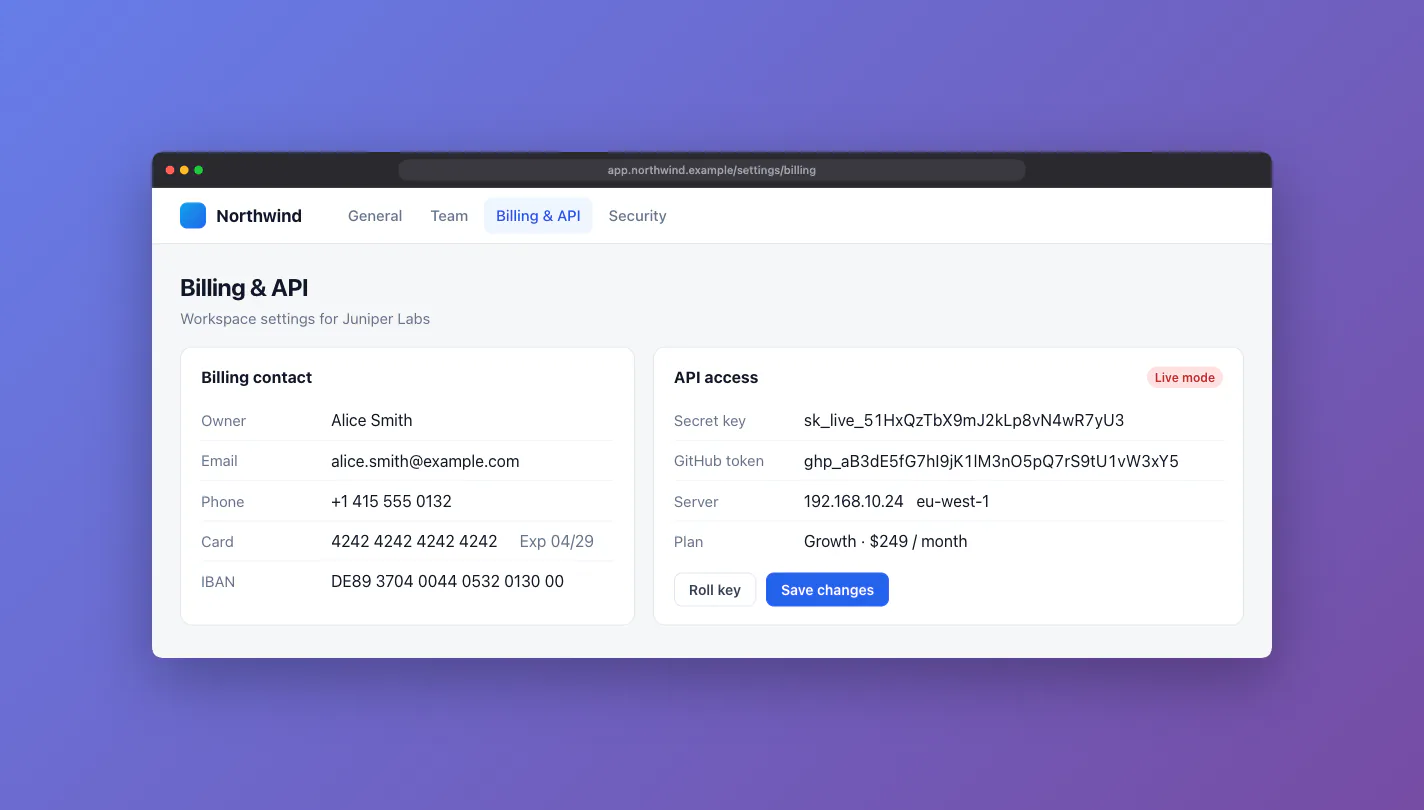
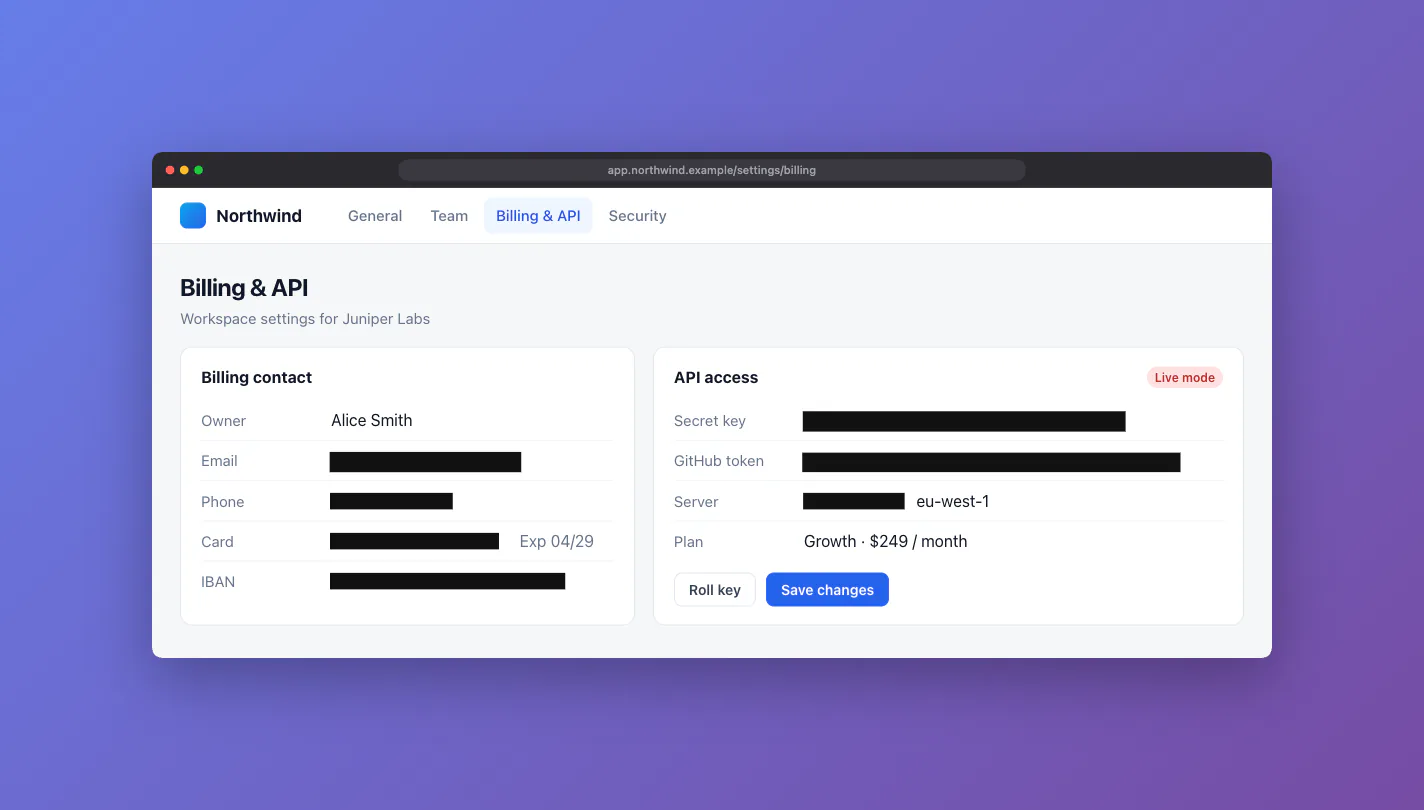
Auto-redact reads the screenshot with local OCR and finds emails, phone numbers, card numbers, IBANs, IP addresses, API keys and tokens, and URLs with secrets in them. Review the list, then cover them with solid boxes, pixelate or blur. Nothing leaves your device.

Beautify
Make it presentable.
Put a screenshot on a background, round the corners, add a shadow, and drop it into a browser window or a device. Ready for docs, decks and release notes.
- Background
- 8 gradients, white, dark or transparent
- Card
- Padding 0–128 px, corners 0–32 px, soft or medium shadow
- Frame
- Light or dark browser window, plain title bar, phone, tablet or laptop
- Stamp
- The page address, the capture date, or both
Text & export
Copy the text. Export anywhere.
OCR runs inside the extension, offline, in English. Tall full-page captures are read in tiles at full size, so small text stays readable.
Copy, save, drag
Copy to the clipboard, save with a timestamped name, or drag the preview into Slack, Notion, Figma or Docs.
PNG, JPEG, WebP
Pick a format from the Download menu. JPEG and WebP have a quality slider. Your choice is remembered.
Searchable PDF
Fit, A4 or Letter pages with an invisible OCR text layer. Text under redaction, pixelate or blur is left out.
Share a link, if you want
Sign in with Google to upload and get an unlisted link. Viewers don't need an account. 1 GB of storage.
Privacy
Your screenshots stay on your device.
On your device, always
Capture, markup, auto-redaction, backgrounds and frames, OCR, PDF export, copy and save. No account, no server round trip.
Only when you click Upload
The image goes to Screencap Cloud under your Google sign-in, and you get an unlisted link. Anyone with the link can view it, so share it with care.
Shortcuts
Keyboard first.
Global shortcuts start a capture. Inside the in-page editor, every tool has a single key.
Take a better screenshot in the next ten seconds.
Free. No account for capture and editing. Optional Google sign-in for share links.
Add to Chrome, it's freeQuestions? support@screencap.app